

创建 Google 摄影奖画廊

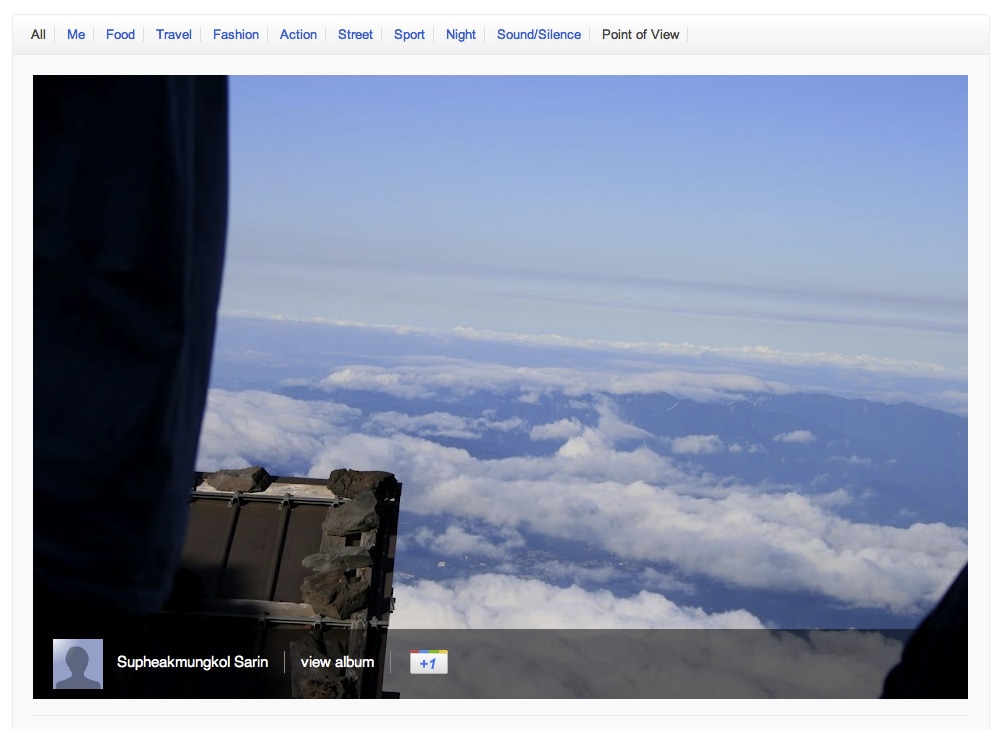
我们最近在 Google 摄影大赛网站上推出了“图库”部分。图库会显示从 Google+ 获取的照片的无限滚动列表。它会从 AppEngine 应用获取照片列表,我们使用该应用来管理图库中的照片列表。我们还在 Google Code 上将该相册应用作为开源项目发布。
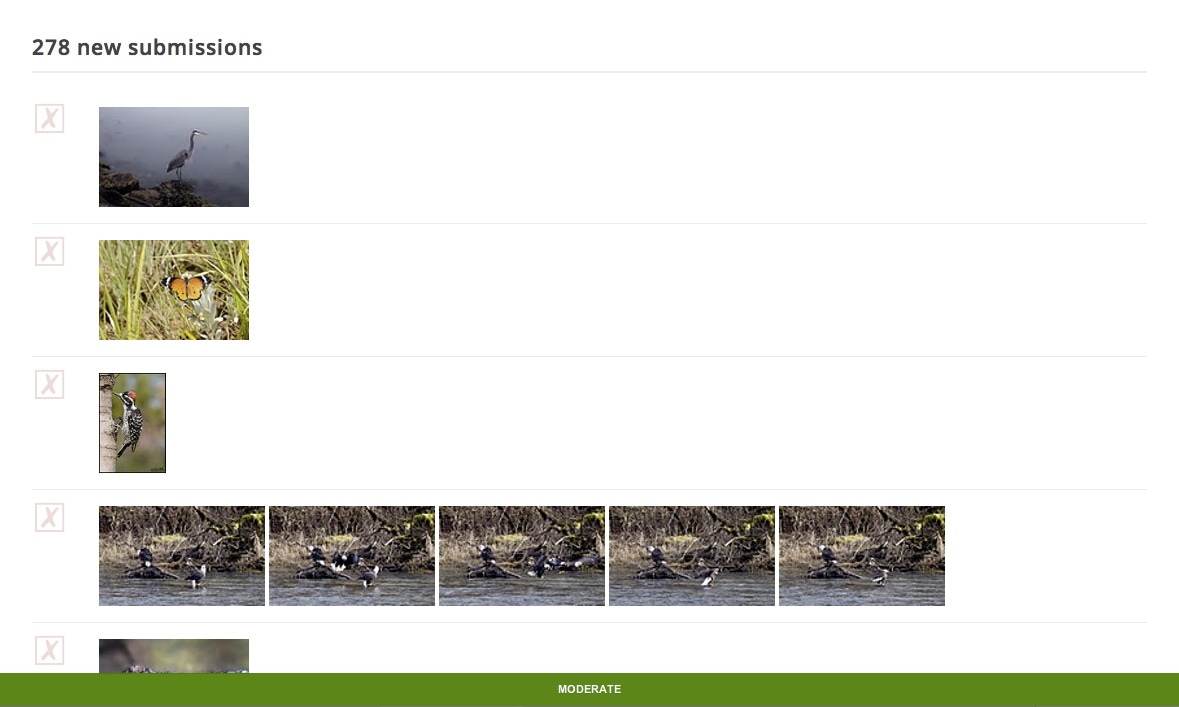
该画廊的后端是一个 AppEngine 应用,它使用 Google+ API 搜索带有 Google 摄影奖标签(例如 #megpp 和 #travelgpp)的帖子。然后,该应用会将这些帖子添加到其未经审核的照片列表中。我们的内容团队每周都会查看未经审核的照片列表,并标记违反我们内容准则的照片。点击“审核”按钮后,未标记的照片会添加到图库页面上显示的照片列表中。
图库前端
Gallery 前端是使用 Google Closure 库构建的。图库微件本身是一个 Closure 组件。在源文件顶部,我们告知 Closure 此文件提供名为 photographyPrize.Gallery 的组件,并要求提供应用使用的 Closure 库部分:
goog.provide('photographyPrize.Gallery');

goog.require('goog.debug.Logger');
goog.require('goog.dom');
goog.require('goog.dom.classes');
goog.require('goog.events');
goog.require('goog.net.Jsonp');
goog.require('goog.style');
图库页面包含一些 JavaScript 代码,这些代码使用 JSONP 从 AppEngine 应用中检索照片列表。JSONP 是一种简单的跨域 JavaScript 技巧,它会注入一个类似于 jsonpcallback("responseValue") 的脚本。为了处理 JSONP 内容,我们使用了 Closure 库中的 goog.net.Jsonp 组件。
图库脚本会遍历照片列表,并为这些照片生成 HTML 元素,以便在图库页面上显示。无限滚动的工作原理是:挂接到窗口滚动事件,并在窗口滚动到页面底部附近时加载一批新照片。加载新的照片列表片段后,图库脚本会为照片创建元素,并将其添加到图库元素中以显示它们。
显示图片列表
图片列表显示方法非常基础。它会遍历图片列表,生成 HTML 元素和 +1 按钮。下一步是将生成的列表片段添加到图库的主图库元素中。您可以在下面的代码中看到一些 Closure 编译器惯例,请注意 JSDoc 注释中的类型定义和 @private 可见性。私有方法的名称后带有下划线 (_)。
/**
 * Displays images in imageList by putting them inside the section element.
 * Edits image urls to scale them down to imageSize x imageSize bounding
 * box.
 *
 * @param {Array.<Object>} imageList List of image objects to show. Retrieved
 *                                   by loadImages.
 * @return {Element} The generated image list container element.
 * @private
 */
photographyPrize.Gallery.prototype.displayImages_ = function(imageList) {

  // find the images and albums from the image list
  for (var j = 0; j < imageList.length; j++) {
    // change image urls to scale them to photographyPrize.Gallery.MAX_IMAGE_SIZE
  }

  // Go through the image list and create a gallery photo element for each image.
  // This uses the Closure library DOM helper, goog.dom.createDom:
  // element = goog.dom.createDom(tagName, className, var_childNodes);

  var category = goog.dom.createDom('div', 'category');
  for (var k = 0; k < items.length; k++) {
    var plusone = goog.dom.createDom('g:plusone');
    plusone.setAttribute('href', photoPageUrl);
    plusone.setAttribute('size', 'standard');
    plusone.setAttribute('annotation', 'none');

    var photo = goog.dom.createDom('div', {className: 'gallery-photo'}, ...)
    photo.appendChild(plusone);

    category.appendChild(photo);
  }
  this.galleryElement_.appendChild(category);
  return category;
};
处理滚动事件
为了在访问者将页面滚动到底部时加载新图片,图库会挂接到窗口对象的滚动事件。为了弥补浏览器实现方面的差异,我们使用了 Closure 库中的一些便捷实用函数:goog.dom.getDocumentScroll() 返回一个包含当前文档滚动位置的 {x, y} 对象,goog.dom.getViewportSize() 返回窗口大小,goog.dom.getDocumentHeight() 返回 HTML 文档的高度。
/**
 * Handle window scroll events by loading new images when the scroll reaches
 * the last screenful of the page.
 *
 * @param {goog.events.BrowserEvent} ev The scroll event.
 * @private
 */
photographyPrize.Gallery.prototype.handleScroll_ = function(ev) {
  var scrollY = goog.dom.getDocumentScroll().y;
  var height = goog.dom.getViewportSize().height;
  var documentHeight = goog.dom.getDocumentHeight();
  if (scrollY + height >= documentHeight - height / 2) {
    this.tryLoadingNextImages_();
  }
};

/**
 * Try loading the next batch of images objects from the server.
 * Only fires if we have already loaded the previous batch.
 *
 * @private
 */
photographyPrize.Gallery.prototype.tryLoadingNextImages_ = function() {
  // ...
};
加载图片
为了从服务器加载图片,我们使用了 goog.net.Jsonp 组件。它需要一个 goog.Uri 才能进行查询。创建后,您可以使用查询参数对象和成功回调函数向 Jsonp 提供程序发送查询。
/**
 * Loads image list from the App Engine page and sets the callback function
 * for the image list load completion.
 *
 * @param {string} tag Fetch images tagged with this.
 * @param {number} limit How many images to fetch.
 * @param {number} offset Offset for the image list.
 * @param {function(Array.<Object>=)} callback Function to call
 *        with the loaded image list.
 * @private
 */
photographyPrize.Gallery.prototype.loadImages_ = function(tag, limit, offset, callback) {
  var jsonp = new goog.net.Jsonp(
      new goog.Uri(photographyPrize.Gallery.IMAGE_LIST_URL));
  jsonp.send({'tag': tag, 'limit': limit, 'offset': offset}, callback);
};
如上所述,图库脚本使用 Closure 编译器来编译和缩减代码。Closure 编译器还有助于强制执行正确的类型(您可以在注释中使用 @type foo JSDoc 表示法来设置属性的类型),并且还会在您没有为方法添加注释时通知您。
单元测试
我们还需要对图库脚本进行单元测试,因此 Closure 库内置了单元测试框架,这非常方便。它遵循 jsUnit 惯例,因此很容易上手。
为了帮助我编写单元测试,我编写了一个小型 Ruby 脚本,用于解析 JavaScript 文件,并为图库组件中的每个方法和属性生成一个失败的单元测试。假设有如下脚本:
Foo = function() {}
Foo.prototype.bar = function() {}
Foo.prototype.baz = "hello";
测试生成器会为每个属性生成一个空测试:
function testFoo() {
  fail();
  Foo();
}

function testFooPrototypeBar = function() {
  fail();
  instanceFoo.bar();
}

function testFooPrototypeBaz = function() {
  fail();
  instanceFoo.baz;
}
这些自动生成的测试让我可以轻松开始为代码编写测试,并且默认情况下涵盖了所有方法和属性。失败的测试会产生一种很好的心理效应,让我不得不逐一检查测试并编写正确的测试。结合代码覆盖率指标,让测试和覆盖率全部达标就像玩游戏一样有趣。
摘要
Gallery+ 是一个开源项目,用于显示与 #hashtag 匹配的经过审核的 Google+ 照片列表。该工具使用 Go 和 Closure 库构建。后端在 App Engine 上运行。Gallery+ 用于在 Google 摄影奖网站上显示提交的作品库。 在本文中,我们详细介绍了前端脚本的核心部分。我的同事 Johan Euphrosine 来自 App Engine 开发者关系团队,他正在撰写第二篇文章,介绍后端应用。后端是用 Go 编写的,Go 是 Google 的新服务器端语言。如果您有兴趣查看 Go 代码的生产示例,请继续关注!