Starting in Chrome 83, link rel="preload" and font-display: optional can be combined to remove layout jank completely
 Houssein Djirdeh [X](https://twitter.com/hdjirdeh) [GitHub](https://github.com/housseindjirdeh) [Homepage](https://houssein.me/)
> [!NOTE]
> **Note:** In Chrome 83, new font loading improvements have been made to completely eliminate layout shifting and flash of invisible text (FOIT) when optional fonts are preloaded.
By optimizing rendering cycles, Chrome 83 eliminates layout shifting when preloading optional fonts.
Combining `` with `font-display: optional` is the most effective way to
guarantee no layout jank when rendering custom fonts.
## Browser compatibility
Check out MDN's data for up-to-date cross-browser support information:
- [``](https://developer.mozilla.org/docs/Web/HTML/Preloading_content#Browser_compatibility)
- [`font-display`](https://developer.mozilla.org/docs/Web/CSS/@font-face/font-display#Browser_compatibility)
## Font rendering
Layout shifting, or re-layout, occurs when a resource on a web page changes dynamically, resulting in
a "shift" of content. Fetching and rendering web fonts can directly cause layout shifts in one of
two ways:
- A fallback font is swapped with a new font ("flash of unstyled text")
- "Invisible" text is shown until a new font is rendered into the page ("flash of invisible text")
The CSS [`font-display`](https://font-display.glitch.me/) property provides a way to modify
rendering behavior of custom fonts through a range of different supported values (`auto`, `block`,
`swap`, `fallback`, and `optional`). Choosing which value to use depends on the preferred behavior
for asynchronously loaded fonts. However, every one of these supported values can trigger re-layout
in one of the two ways listed above, until now!
> [!NOTE]
> **Note:** The [Cumulative Layout Shift](https://web.dev/articles/cls) metric makes it possible to measure the layout instability on a web page.
## Optional fonts
The `font-display` property uses a timeline of three periods to handle fonts that need to be
downloaded before they can be rendered:
- **Block:** Render "invisible" text, but switch to the web font as soon as it finishes loading.
- **Swap:** Render text using a fallback system font, but switch to the web font as soon as it finishes loading.
- **Fail:** Render text using a fallback system font.
Previously, fonts designated with `font-display: optional` had a 100ms block period and no swap
period. This means that "invisible" text is displayed very briefly before switching to a fallback
font. If the font is not downloaded within 100ms, then the fallback font is used and no swapping
occurs.
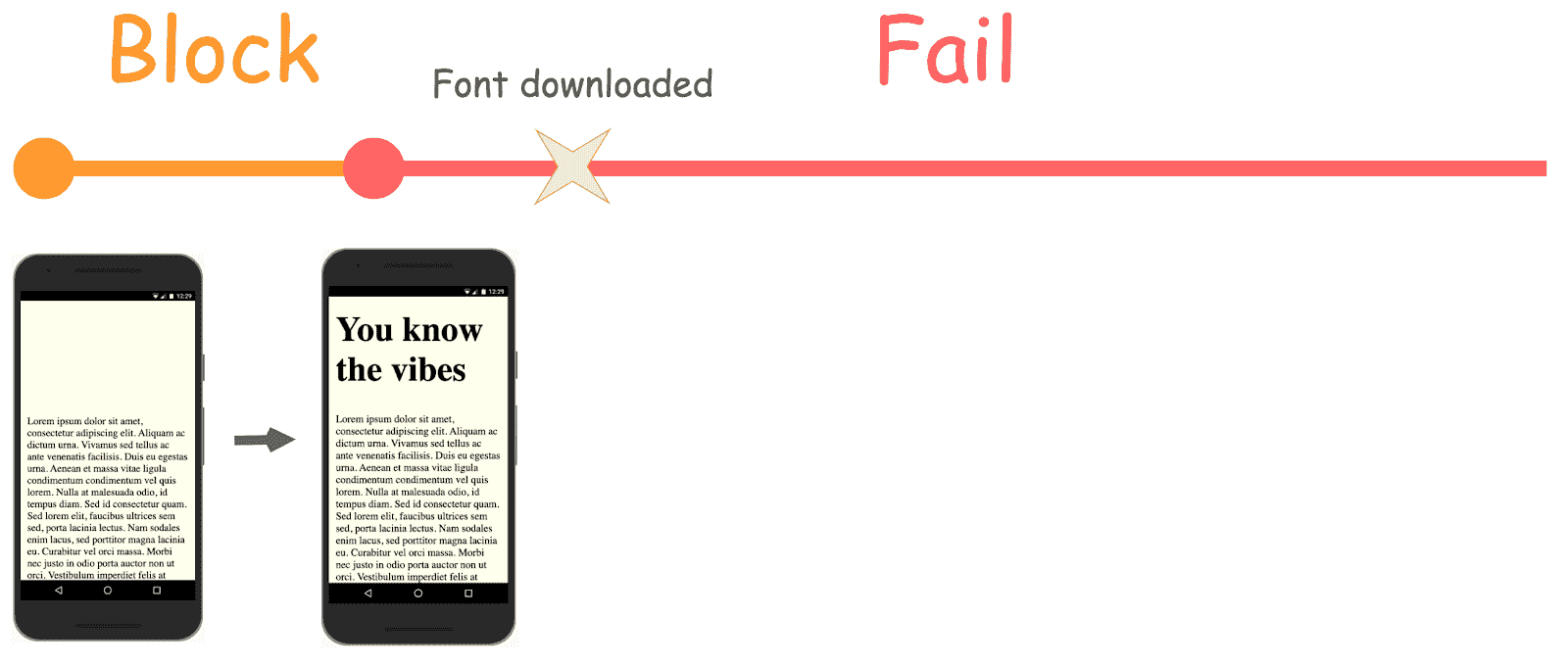 Previous `font-display: optional` behavior in Chrome when font is downloaded **after** the 100ms block period
However, in the case that the font is downloaded before the 100ms block period completes, the custom
font is rendered and used on the page.
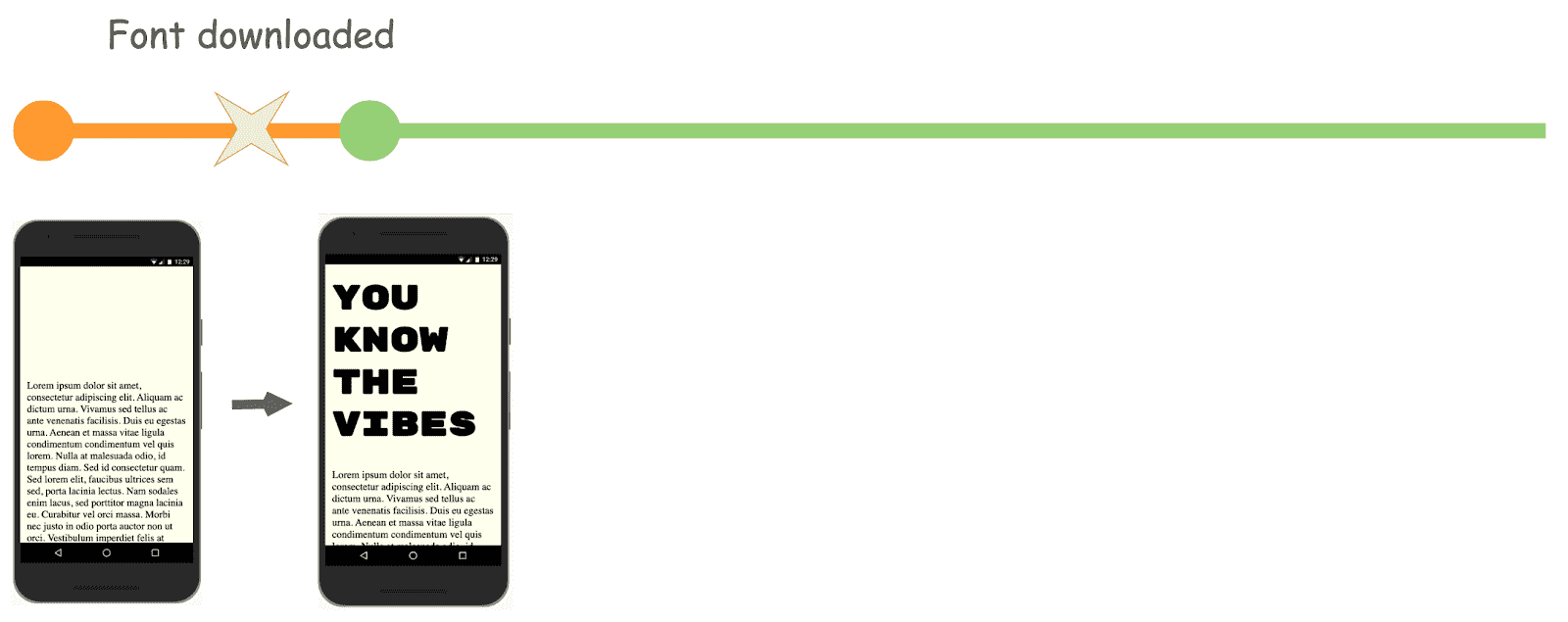 Previous `font-display: optional` behavior in Chrome when font is downloaded **before** the 100ms block period
Chrome re-renders the page **twice** in both instances, regardless of whether the fallback font
is used or if the custom font finishes loading in time. This causes a slight flicker of invisible
text and, in cases when a new font is rendered, layout jank that moves some of the page's content.
This occurs even if the font is stored in the browser's disk cache and can load well before the
block period is complete.
[Optimizations](https://bugs.chromium.org/p/chromium/issues/detail?id=1040632) have landed in Chrome 83 to entirely remove the first render cycle for optional fonts
that are preloaded with [`