 Rachel Lee Nabors [X](https://twitter.com/nearestnabors) [GitHub](https://github.com/nearestnabors) [LinkedIn](https://www.linkedin.com/in/nearestnabors) [Bluesky](https://bsky.app/profile/nearestnabors.com) [Homepage](https://nearestnabors.com/)
Published: November 10, 2025
Once you've read about [right-sized AI](https://web.dev/articles/right-sized-ai), you know
that smaller models are more sustainable than foundation models. They consume
less energy and can even be run on the user's device, reducing latency and
providing a more performant experience.
You have to be intentional, and choose the right model for your use case.
But how do you determine what model you need? One approach is to determine the
success metrics for your application, then prototype with a foundation model.
While recently, many of the foundation models in the news are
[large language models (LLMs)](https://web.dev/articles/ai-overview#generative-ai), foundation
models also include predictive AI, which are specialized and may better suit
your use case.
Once you validate the success metrics, deploy with smaller models, and test
until you find the smallest possible model that produces outcomes that meet
your success criteria.
## Prototype big, deploy small
To choose your right-size model, follow these steps:
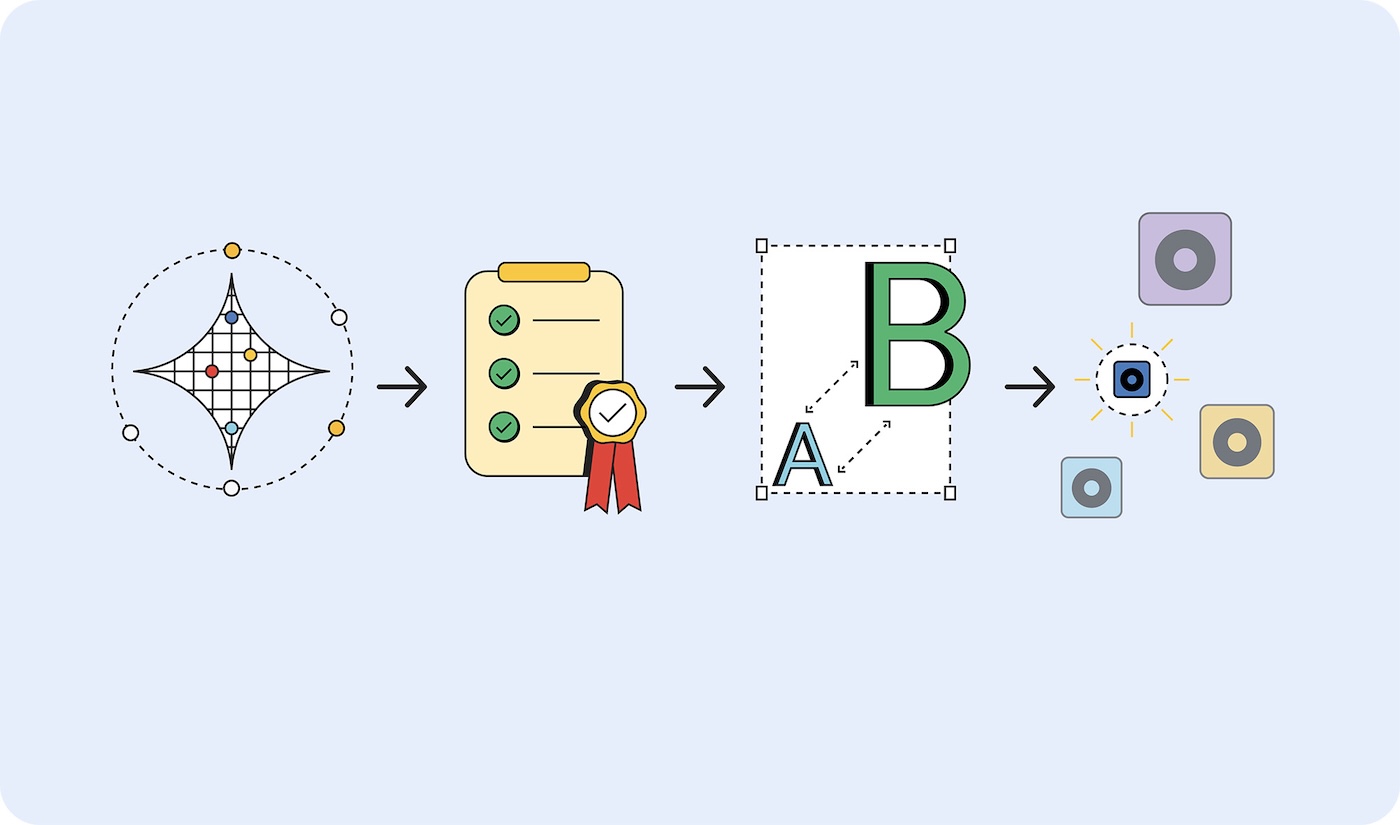
1. **Prove your task is it's possible**. Test whether what you're trying to accomplish is possible at all by using the largest possible model. This could be a large language model, like Gemini 2.5 Pro, or another foundation model.
2. **Set success criteria**. Collect a set of inputs and ideal outputs. For example, a translation application may have inputs of phrases in English and outputs of those phrases translated correctly into Spanish.
3. **Test from small to large** . Compare the outputs of smaller models against your test criteria. Work your way up from the smallest model. [Prompt engineering](https://web.dev/articles/practical-prompt-engineering) can help you get better results. You can also [recruit a larger model to compare the outputs](https://web.dev/articles/test-llm-capabilities), to help you produce a better result from your smaller model.
4. **Select the smallest model** that gives acceptable responses for your use case. For example, the smallest model that outputs translations correctly.
Regardless of where the model is hosted, if it's small enough to be on-device
or still needs to be hosted on a server, it is more efficient to use a smaller
model than a larger model.
> [!NOTE]
> **Note:** If you haven't found a small model that works well for your use case, it's possible to [fine-tune](https://developers.google.com/machine-learning/glossary#fine-tuning) smaller models to perform better. This is out-of-scope for our purposes, requires specific expertise and additional energy. This is the task for an ML engineer rather than a web developer.
## Model types
I've categorized models by the data they process: [visual](https://web.dev/articles/ai-model-selection#visual_model),
[audio](https://web.dev/articles/ai-model-selection#audio_model), and [text](https://web.dev/articles/ai-model-selection#text_model). I'll walk you through example
use cases and some of the available models.
> [!NOTE]
> **Note:** The models listed are just examples of what's available on the market, researched and recommended at the end of 2025. AI is rapidly evolving, so you should evaluate models specific to your task and implementation.
### Visual processing
Visual processing can be evaluation of still images or video.
- **Image classification**: Use for everything from alt-text generation for
accessibility compliance to content screening to filter inappropriate images
before they reach users. Pick this image classification when you need to
understand what's in an image, without a human review.
Models MobileNet, ResNeXt, and ConvNeXt
- **Object detection**: Tag specific objects in images or video streams, create
interactive AR experiences that respond to real-world objects, or build
inventory management systems that can identify and count items. Pick object
detection when you have a picture or video of an inanimate object.
Models Object detection models, such as
YOLOv8 and DETR
- **Body pose detection**: Use for interface control with gestures or body
movements, virtual try-on experiences for clothing, and telehealth platforms
monitoring patient movement and rehabilitation progress. Pick body pose
detection when evaluating images or videos of a person's body.
Models Pose Estimation Models, such as
MoveNet and BlazePose
- **Face keypoint detection**: Use for secure facial authentication systems,
emotion detection to personalize user experiences, eye movement tracking for
accessible controls, and real-time photo filters or beauty applications.
Pick this model when evaluating images or videos of a person's face.
Models MediaPipe FaceMesh and OpenPose
- **Hand pose detection models**: Use these models for touch-free interface
controls where users navigate with hand gestures, sign language translation
applications for accessibility, and creative tools that respond to hand
movements for drawing or design. Also, consider using these in environments
where touching screens is impractical (medical, food service) or when users
will be far from controls, such as presentations where speakers control
slides with gestures.
Models Hand pose estimation models,
such As MediaPipe Hands.
- **Handwriting recognition**: Use to convert handwritten notes to searchable
digital text, processing stylus input for note-taking applications, and
digitizing forms or documents uploaded by users.
Models Optical Character Recognition (OCR)
models, such as MiniCPM-o, H2OVL-Mississippi, and Surya.
- **Image segmentation models**: Choose when consistent image backgrounds are
important or image editing is required. For example, you could use these for
precise background removal, advanced content screening to identify specific
areas of concern within images, and sophisticated photo editing tools to
isolate particular elements, such as profile and product photos.
Models Segment Anything (SAM), Mask R-CNN
- **Image generation**: Use to create new images on-demand, without licensing.
These models could be used to create personalized avatars for user profiles,
product image variation for ecommerce catalogs, and custom visuals for
marketing or content creation workflows.
Models Diffusion models, such as Nano
Banana, Flux, and Qwen Image
### Audio processing
Choose an audio processing model for audio files.
- **Audio classification**: Use when audio needs to be identified and described,
without human review. For example, real-time identification of background
music, environmental sounds, or spoken content in media uploads, automatic
content tagging for audio libraries, and sound-based user interface controls.
Models Wav2Vec2 and AudioMAE
- **Audio generation**: Create audio content on-demand without licensing. For
example, this can be used for creating custom sound effects for interactive
web experiences, generating background music from user preferences or content,
and producing audio branding elements like notification sounds or interface
feedback.
Models There are various specialized audio
generation models. These tend to be hyper-specific, thus I won't list models.
- **Text-to-speech (TTS)**: Convert written content to consistent,
natural-sounding speech for accessibility compliance, creating voice-over
narration for educational content or tutorials, and building multilingual
interfaces that speak text in users' preferred languages.
Models Orpheus and Sesame CSM
- **Speech-to-text (STT)**: Transcribe a recording of human speech, such as for
real-time transcription for live events or meetings, voice-controlled
navigation and search functionality, and automated captioning for video
content accessibility.
Models Whisper Web Turbo, NVIDIA Canary,
and Kyutai
### Text processing
- **Natural language classification (NLP)**: Use to automatically sort and route
large amounts of text, tagging systems, and moderation systems. The text could
be user messages or support tickets, detecting sentiment in customer feedback
or social media mentions, and filtering spam or inappropriate content before
it reaches other users.
Models BERT, DistilBERT, and RoBERTa
- **Conversational AI**: Build chat interfaces and conversational systems.
Customer support chatbots, personal AI assistants, and similar conversational
interactions are some of the best use cases for LLMs. Fortunately, there are
language models small enough to fit on your device, that require far less
energy to train and prompt.
Models Gemma 2 27B, Llama 3.1, and Qwen2.5
> [!NOTE]
> **Note:** Small Language Models (SLMs) are capable of handling [most agentic programming tasks](https://arxiv.org/pdf/2506.02153), at 10-30x the cost in terms of energy consumption.
- **Translation models** Use to support multiple languages in your application.
Local language models can handle real-time language translation, converting
user-generated content across multiple languages for global platforms, and
enabling private document translation that keeps sensitive content on the
user's device.
Models SLMs like Gemma Nano, Granite 1.5B,
GSmolLM3, and Qwen 3.4B
## Read the nutrition label
Different models consume varying amounts of these resources when running on
different hardware in different locations. There's not yet a standard of
measurement to benchmark against, but there is a movement to get this
information onto AI "nutrition labels."
[Model cards](https://modelcards.withgoogle.com/), introduced by Margaret
Mitchell and colleagues at Google in 2018, are a standardized approach to
reporting models' intended use, limitations, ethical considerations, and
performance. Today, many companies are using a form of model cards, including
Hugging Face, Meta, Microsoft.
[IBM's AI Factsheets](https://www.ibm.com/docs/software-hub/5.1.x?topic=services-ai-factsheets),
which cover lifecycle, accountability, governance, compliance, are more popular
in enterprise environments. Regulatory frameworks, such as the EU AI Act, NIST
AI Risk Management Framework, and ISO 42001 call for this documentation.
Google called for [inference cost transparency across the industry](https://cloud.google.com/blog/products/infrastructure/measuring-the-environmental-impact-of-ai-inference/).
These figures could be added to model cards and factsheets. Hugging Face has
added [carbon costs to their model cards](https://huggingface.co/docs/hub/model-cards-co2),
and they've made efforts to standardize energy efficiency measurement with the
[AI Energy Score initiative](https://huggingface.github.io/AIEnergyScore/).
## Advocate for right-sized AI
Right-sized AI is the sustainable, performant, and pragmatic choice for
your customers, as well as your business.
You can push the industry forward by requiring hosted models your company adopts
to disclose their baseline training and inference resource requirements. If
enough customers demand transparency, providers are more likely to release
those details.
> [!TIP]
> Are you building applications following these principles? The web.dev AI
> team wants to hear from you! Share with us on
> [Bluesky](https://bsky.app/profile/developer.chrome.com) or
> [Twitter](https://twitter.com/ChromiumDev),
> [file a request for content](https://issuetracker.google.com/issues/new?component=1400680&template=1964263),
> or set up one-on-one office hours with the
> [Web.dev AI Team](https://web.dev/articles/ai-team).